

Softphone
The softphone is a phone in your browser. The product calls it Hams Phone. You make and take calls with your headset, without a desk phone.
Before the phone can register, you need an active extension of the type User for your user. The extension must belong to an active SIP domain. An administrator sets this up in Extensions. If you have more than one such extension, the phone uses the first one. The system sorts the extensions by SIP domain name and then by number.
The phone is a normal SIP device for the rest of the call center. Queues, call history and live data treat it in the same way as a desk phone.
Open the phone
The Phone button is in the sidebar. Its tooltip is Hams Phone. A dot on the button shows the state of the phone. Click the button to open the phone panel.
The panel opens by itself when a call rings or when you start a call from another page. Click outside the panel to close it. The panel stays open while a call is in progress.
The Agent console page shows the same phone panel on the page. On that page, the sidebar does not show the phone card.
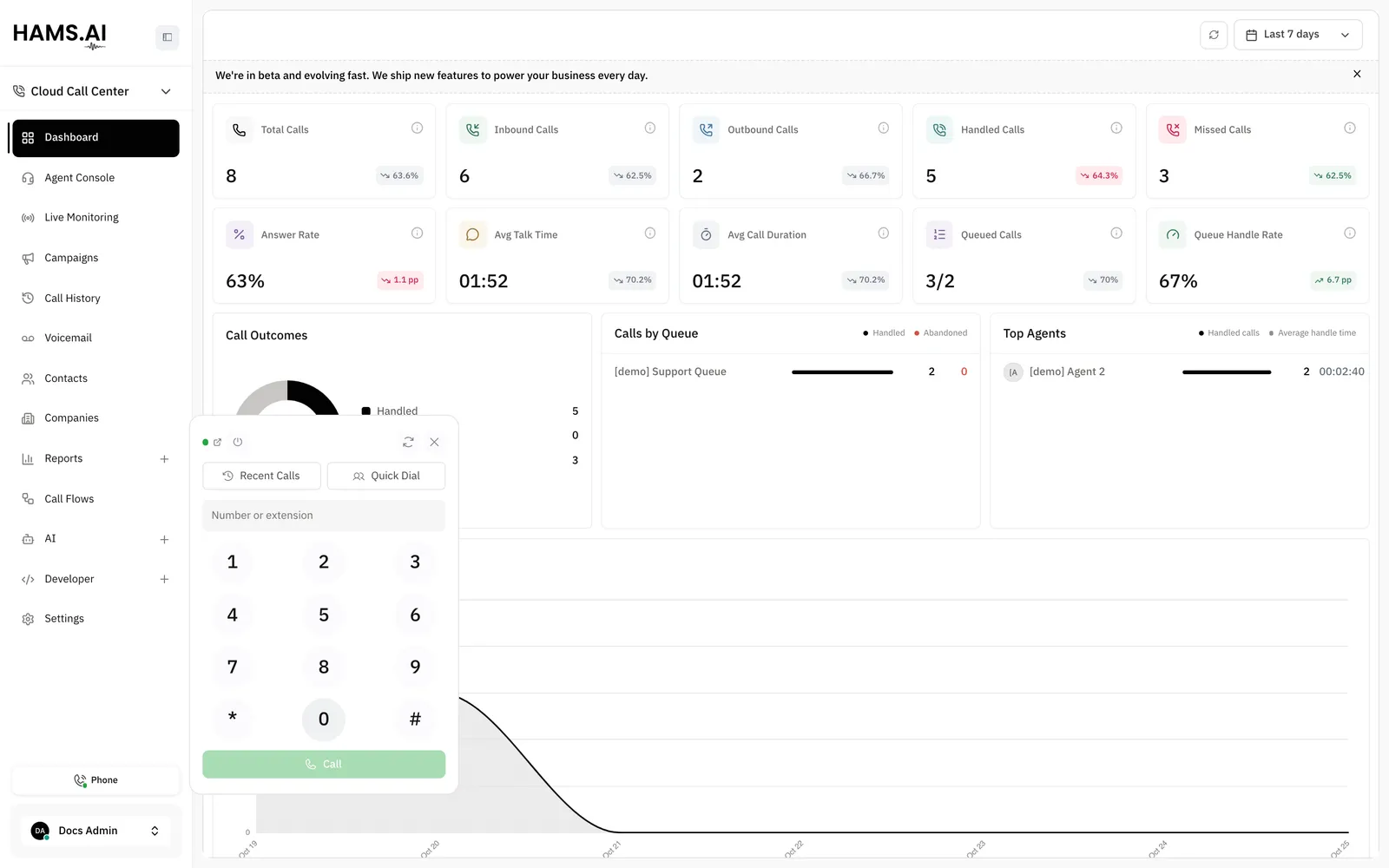
The phone window
The SIP connection runs in a separate window. The window is at /softphone. The window keeps the phone registered when you use other pages of the dashboard.
If the window is not open, the panel shows Window closed and the button Open Hams Phone window. Click the button to open the window.
Only one phone window can be open. A second window does not register. It shows Another window is holding Hams Phone. Close this one and use that window.
Do not close the phone window while you are available for calls. When you close it, the phone stops, and a call in progress ends. The browser asks you to confirm before it closes a window with an active call.
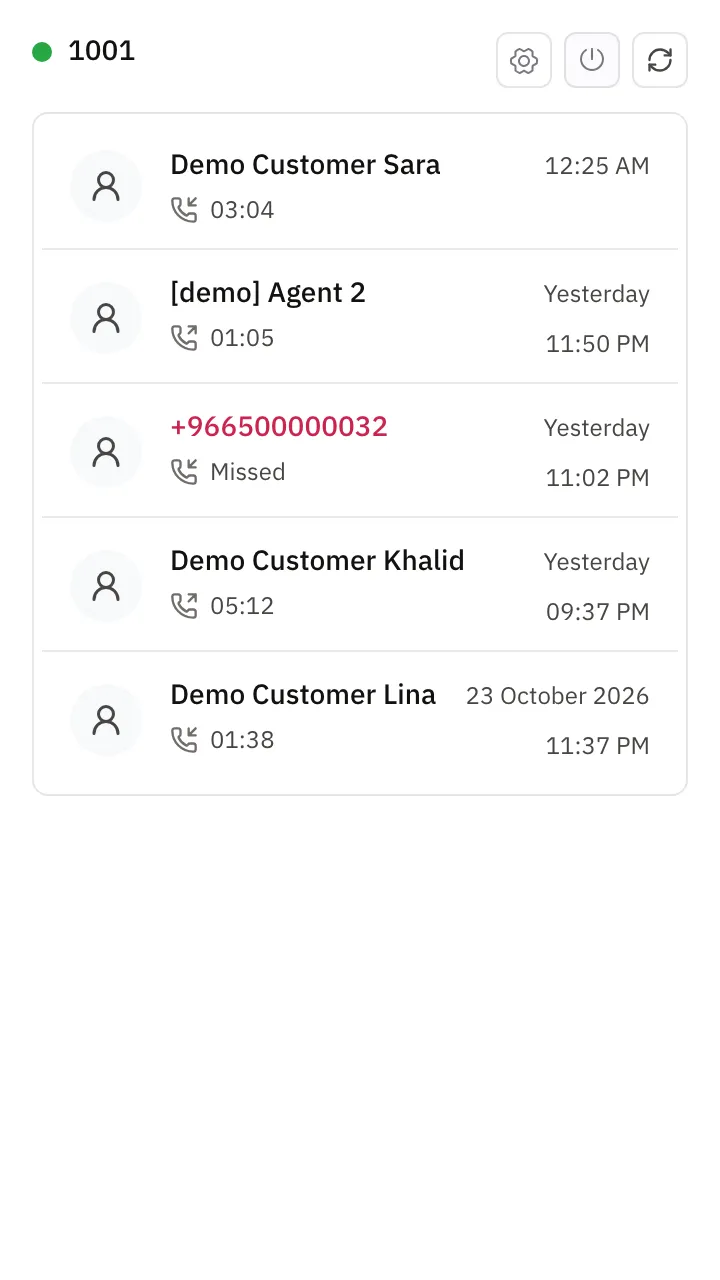
The top of the window shows a status dot and your extension number. If the phone has no extension, it shows Hams Phone. The top of the window also has these buttons. Each button shows only an icon. Point at a button to read its name.
- Audio Settings. It opens a form with Microphone, Speaker and Ringtone output. Each list has the choice System default. Click Save to keep your choice.
- Turn on or Turn off.
- Reconnect now.
When the window has no call, it shows your recent calls. Click a row to call the number again. When the log is empty, the window shows No calls yet.
When a call rings, the window shows the caller with Accept and Reject. During a call, the window shows the caller, the status, the time of the call and a red hang-up button. Its tooltip is Hang up. Use the phone panel in the dashboard for the other call controls.
The phone window can show a desktop notification when a call rings. The browser asks for the permission. When the window is not visible, the title of the window flashes with the caller.
Accounts
The phone registers the extension of the account that you open in the dashboard. If you switch to another account in a dashboard tab, the phone registers the extension of that account. If a call is in progress, the phone waits until the call ends.
The phone keeps a separate call log for each account.
Registration and presence
The phone registers when your availability in Omni Channel is online. It turns off when your availability is not online.
The top of the panel and of the window shows a status dot. Point at the dot to read the status. The text of the status also shows next to the dot for Off, Unavailable, Microphone needed and No extension. These statuses need an action from you.
The phone tries to register again by itself when it cannot reach the call service. This is also true when the service is not available at the time the window opens. The wait between attempts doubles after each attempt, up to 30 seconds.
When the phone window is open, use these buttons at the top of the panel:
- The power button. Its tooltip is Turn off when the phone shows Phone ready. In all other states, the tooltip is Turn on.
- Reconnect now. It tries to register immediately, without a wait. After you get an extension, click Reconnect now to register it.
The Live Monitoring page shows an agent whose phone has no registration as Offline immediately. See Dashboard and live data. A queue does not send calls to an agent who is Offline.
Microphone
The phone needs a microphone. Without a microphone, the phone does not register, and the queue skips you. The panel and the window show Microphone with the reason:
Click Open Hams Phone window in the panel to go to the window where you give the permission.
Make a call
When the phone has no call, the panel shows the dialpad. Use one of these methods:
- Type a number or an extension in the field Number or extension. Click Call or press Enter.
- Click a number on the keypad. The keypad adds the digits to the field.
- Click a name in the suggestions. The suggestions show up to 4 extensions that match the digits or the name. The call starts immediately.
The phone does not start a call until the status is Phone ready.
Click Quick Dial to find a colleague. Quick Dial lists the extensions in your SIP domain. Type in the Search field to filter the list by name or number. Click a row to call that extension. A dot next to each name shows if the person is available, busy or unavailable. Your own extension is not in the list.
The panel shows No extensions in your domain. when the list is empty. It shows No extension matches your search. when the search finds nothing.
Answer a call
The panel shows the caller, the ring time, and the buttons Accept and Reject. Click Accept to answer the call.
If a second call rings while you are on a call, the panel shows the second call in a list. The list has an answer button and a reject button for each call that rings. When you answer the second call, the phone puts the first call on hold.
Controls in a call
The panel shows the caller and the time of the call. The time shows as 00:36, or as 01:02:00 for a call of 1 hour or more. Use these controls.
While you dial, the status line shows Dialing and then Ringing. It shows On hold when you hold the call. It shows On hold by {name} when the other side holds the call.
The supervisor’s own line in the phone panel shows Listen, Whisper and Barge in. That line hides Keypad, Hold and Transfer. See Dashboard and live data.
Transfers
The Transfer control does a blind transfer. The call goes to the target, and you leave the call. For an attended transfer, see the end of this section.
A queue is in the list only if it has an extension number. If you type a number that is not in the list, the panel shows Transfer to {number}. That transfer fails. See the warning below.
The call line shows the result:
- Transferring to {target}…
- Transferred to {target}
- Transfer to {target} failed
Transfer a call from the call center only to an extension or a queue. The target must be in your SIP domain. If the target matches neither, the transfer fails and the call ends. The call does not return to you.
A call can have 5 transfers at most. The sixth transfer fails and the call ends.
Attended transfer
You can do an attended transfer on a call that reaches you through a queue, a ring group or a call flow.
If the other agent is busy or does not answer, you return to the caller. Only extensions are targets. Queues and outside numbers are not valid targets. The limit of 5 transfers for each call includes attended transfers.
More than one call
The phone can hold more than one call. Only one call is live at a time. Each other call is on hold.
The panel lists the other calls above the call controls. Each row shows the status and the time of the call. Click a call in the list to make it the current call. If that call is on hold, the phone resumes it. The phone then puts the other calls on hold. Use the buttons in the list to answer, reject or end a call. The list has no fixed limit in the phone.
The phone window also lists the other calls. Each row has Answer and Reject for a call that rings, or Hang up for a call in progress.
When a call ends, the panel shows the reason for a short time. The reasons are Ended, Busy, Declined, No answer, Missed, Answered by a colleague, Cancelled, Rejected, Unavailable, Failed and Transferred.
Error messages
When an action fails, the panel and the window show a message.
Calls in Omni Channel and call history
A call that you dial to an outside number shows in Omni Channel immediately. The conversation shows when the call starts, when someone answers and when the call ends. Every call that you dial gets a row and a timeline in call history. See Phone calls and Call history and recordings.
Recent calls
Click Recent Calls in the panel to see your last calls. Each row shows these items:
- A contact icon.
- The name or the number. A long name stops after 1 line, and its tooltip shows the full name. A number always shows in full. The name of a missed call shows in red.
- An icon for the direction, inbound or outbound.
- The reason the call ended and the talk time, for example Transferred · 07:00. For a call that ended normally, the row shows only the talk time.
- The time of day for a call from today. For an older call, the row shows Yesterday or the date, and the time.
Use the log in these ways:
- Click a row to call the number again. The tooltip is Call {name}.
- Type in the Search field to filter the rows.
- Point at a row and click Remove from the log to delete that row.
- Click Clear to delete all rows.
The list scrolls and has no pages. It loads 20 rows at a time as you scroll. The phone keeps the 100 newest calls. The browser stores the log for each account. A different browser or device has a different log. When the log is empty, the panel shows No calls yet. When the search finds nothing, it shows No calls match your search.
The log is not the same as call history. For the full record of the account, use Call history and recordings. For your own calls on the server, use Agent console.