

Reports
The Reports group in the Cloud Call Center sidebar has the pages Queues and Agents. Queues opens at /app/accounts/{account_id}/call-center/reports/queue. Agents opens at /app/accounts/{account_id}/call-center/reports/agents. Only administrators can open these pages. The reports show the calls of the whole account.
The group also has the page Post-call analysis. It shows only when Hams support turns on Post-call Analysis for your account. See Post-call analysis.
Filters
A filter bar at the top of each page sets the data for every report on the page.
- Click the date range button to set the period. Choose Today, Last 7 days, or Last 30 days, or pick a custom range in the calendar. The default is Last 7 days, which includes today.
- Click Queues to choose one or more queues.
- Click Agents to choose one or more agents.
A report can cover up to 92 days. If you choose a longer range, the page shows an error. The period stays the same when you move between the Queues page and the Agents page.
The Agents filter shows on the Agents page and on the Distribution tab of the Queues page. On the Distribution tab, the filter changes only Agent performance. The queue figures stay for the whole queue, because the system cannot attribute an unanswered call to an agent.
How the reports count
The queue reports count queue legs. A queue leg is one visit of a call to one queue. A call that visits 2 queues gives 2 legs.
- Received is the number of queue legs.
- Answered is the number of legs that an agent answered. It includes the legs that the agent then transferred.
- SLA % is the share of legs that an agent answered within the target wait time. The target is the SLA time of the queue. If the queue has none, the target is the SLA time of the account.
- A short abandon is a call that the caller abandoned a few seconds after the call joined the queue. The default limit is 5 seconds. The system does not count short abandons in SLA %.
Queue reports
The Queues page has 5 tabs.
Overview
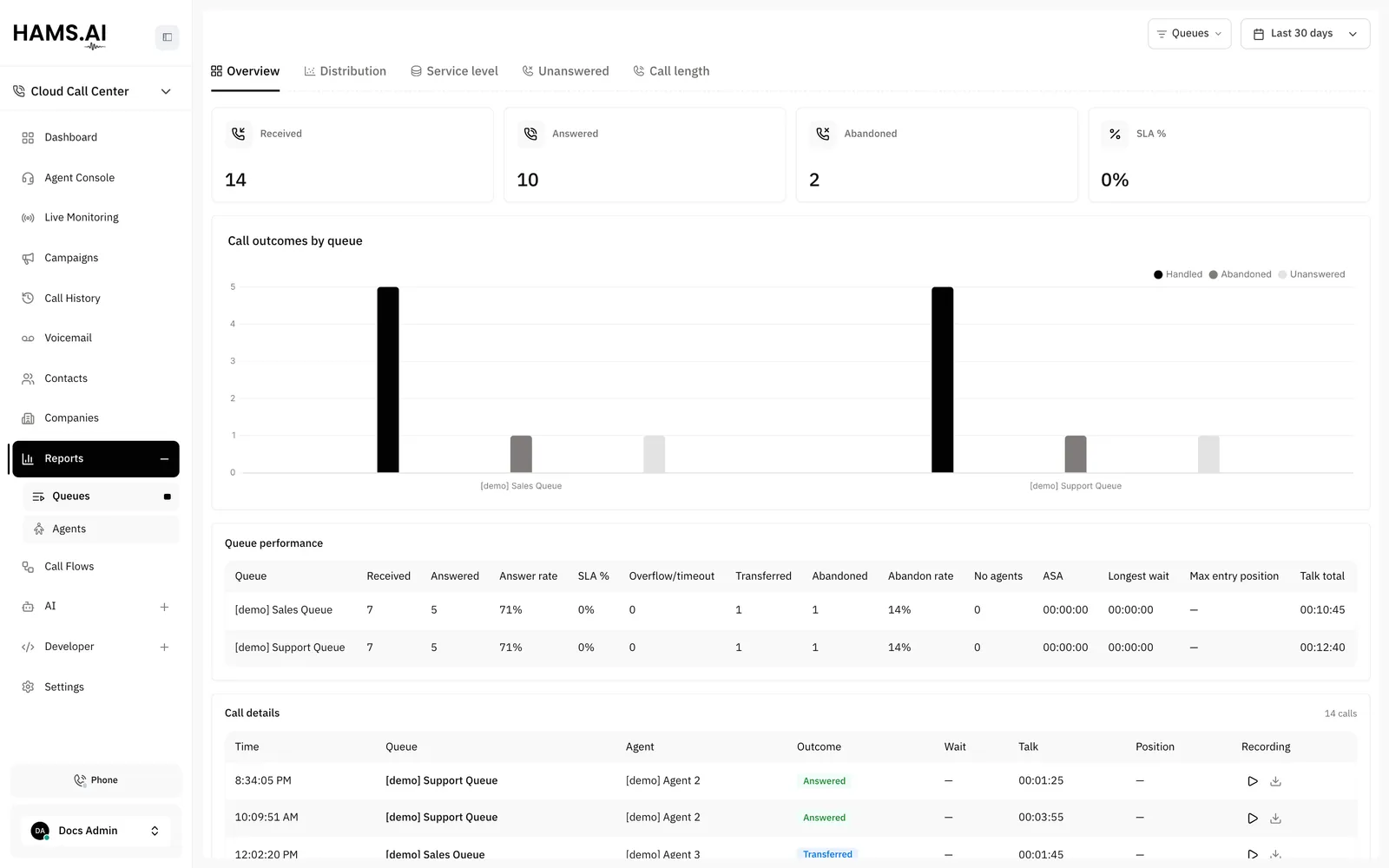
The Overview tab shows the totals Received, Answered, Abandoned, and SLA %. The chart Call outcomes by queue shows the handled, abandoned, and other unanswered legs of each queue.
The table Queue performance has one row for each queue:
Distribution
The Distribution tab has these sections: Summary, Queue performance, Time trend, Hour of day, Day of week, and Agent performance.
- Summary shows Received, Answered, Unanswered, Abandoned, Transferred, and Answer rate.
- Time trend groups the figures by Day, Week, or Month. Click one of the 3 buttons to change the group.
- Hour of day and Day of week show when the calls arrive.
- Agent performance shows the figures of each agent.
Each section has a chart and a table. Click a row in a table to open the calls behind it. The list of calls has the columns Time, Queue, Caller, Agent, Outcome, Wait, Talk, and Recording. Click a call to open its details.
Service level
The Service level tab shows the chart SLA achievement with the parts Within SLA and Over SLA. The chart Answered wait time groups the answered legs by wait time: 0-10s, 10-20s, 20-30s, 30-60s, 60-120s, and 120s+.
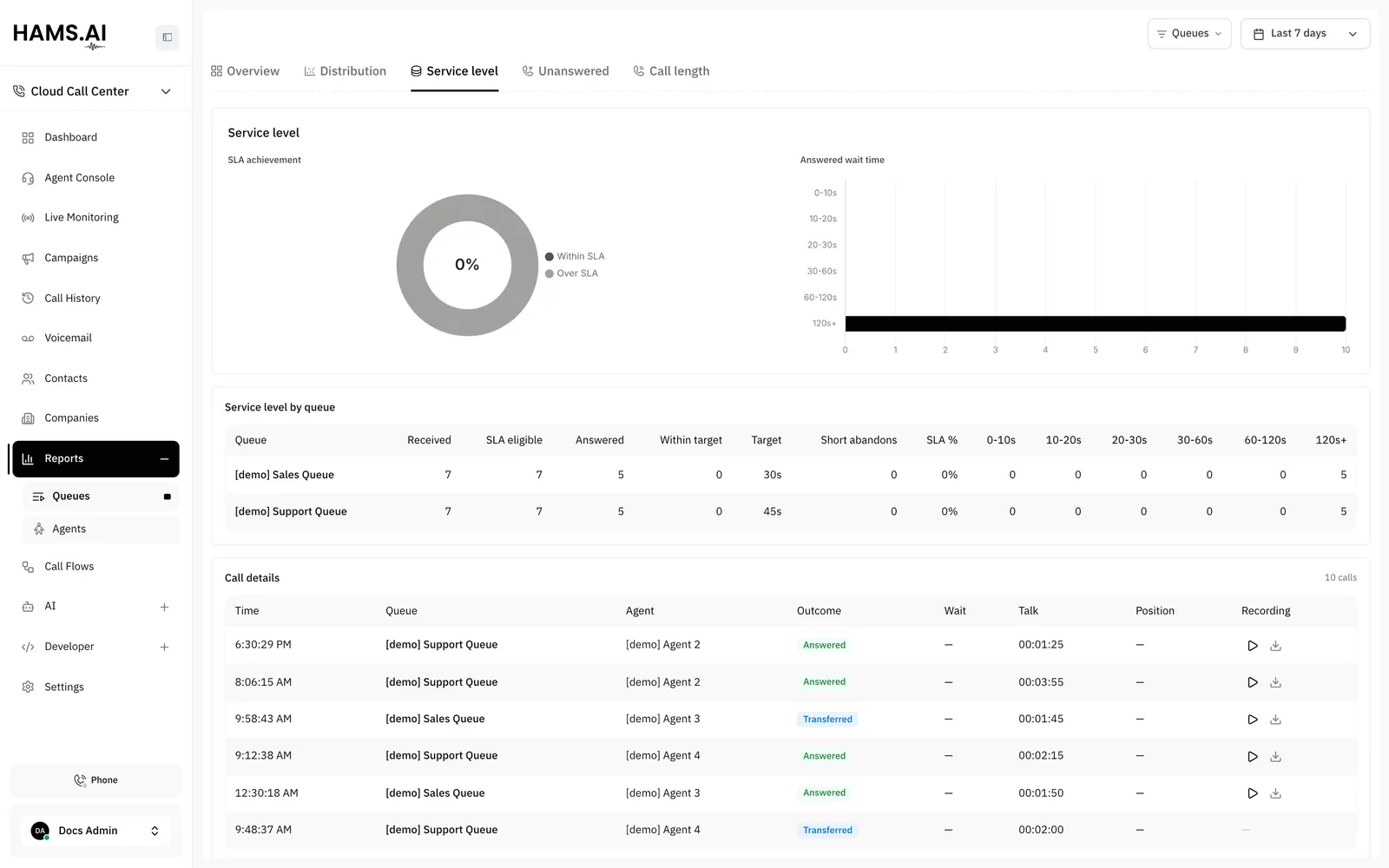
The table Service level by queue has these columns:
Unanswered
The Unanswered tab shows why legs did not reach an agent. The chart and the table Unanswered reasons list each Reason with its Count and its Share. Examples of a reason are Caller hung up while waiting, No agents available, Wait timeout, and Caller pressed a key to exit.
Call length
The Call length tab groups the answered legs by talk time: 0-30s, 30-60s, 60-120s, 120-300s, 300-600s, and 600s+. The table Call length details shows Handled calls, Transferred, Talk total, and Avg talk for each group.
Agent reports
The Agents page has 2 tabs: Summary and Transfers.
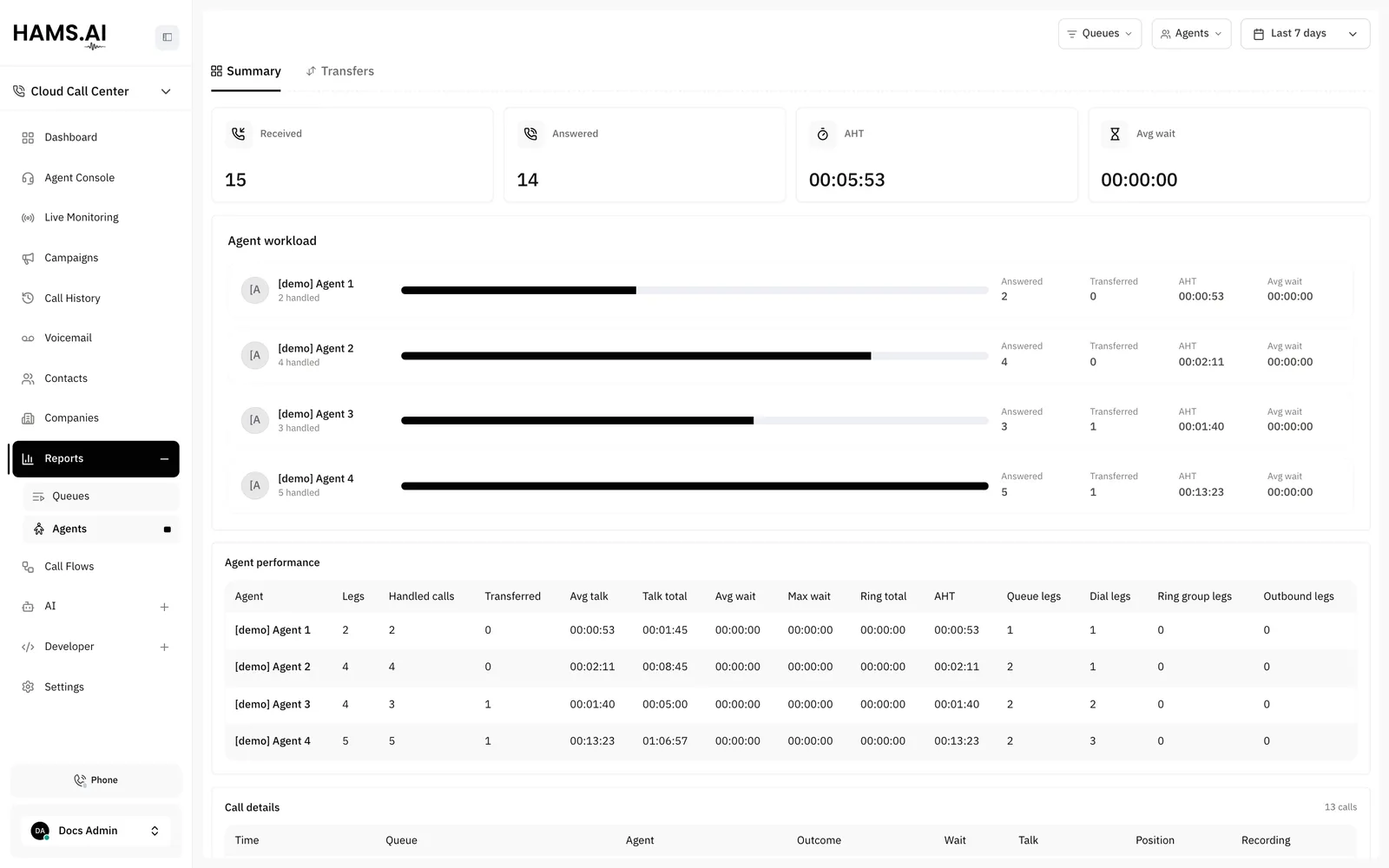
The Summary tab shows the totals Received, Answered, AHT, and Avg wait. Received is the number of legs of the agents. A leg can be a queue leg, a dial leg, a ring group leg, or an outbound leg. The chart Agent workload compares the agents. The table Agent performance has one row for each agent.
The Transfers tab shows the table Transfer details. Each row has the Agent, the target in To, and the Count of transfers. A chart shows the same figures.
Call details
Every tab has a Call details table below the figures. It lists the legs behind the figures, 25 rows for each page. The columns are Time, Queue, Agent, Outcome, Wait, Talk, Position, and Recording. Position is the place of the caller in the queue when the caller joined.
The Outcome column shows the outcome of the leg. The values are Answered, Transferred, Abandoned, No agents available, Overflowed, Timed out, Exited by keypress, Failed, Blocked, Canceled, No answer, and Busy.
Click a row to open the call in the details drawer. See Call history and recordings.