

Voicemail boxes
A voicemail box records a message when nobody answers a call. The account has one shared mailbox and can have one personal mailbox for each User extension. The Voicemail tab shows the shared mailbox. You set up a personal mailbox on its extension.
Only administrators can change voicemail boxes. The Voicemail node of a call flow needs an active shared mailbox. If the account has none, the node takes the Failed outcome.
How a call reaches a box
An agent can dial *97 from the extension of the agent to open the mailbox of that extension. An agent can dial *98 to open a mailbox in the SIP domain of the agent. For *98, the agent enters the mailbox number and the PIN.
The shared mailbox has no phone access. *98 cannot enter its name. People listen to its messages in the dashboard.
Fields
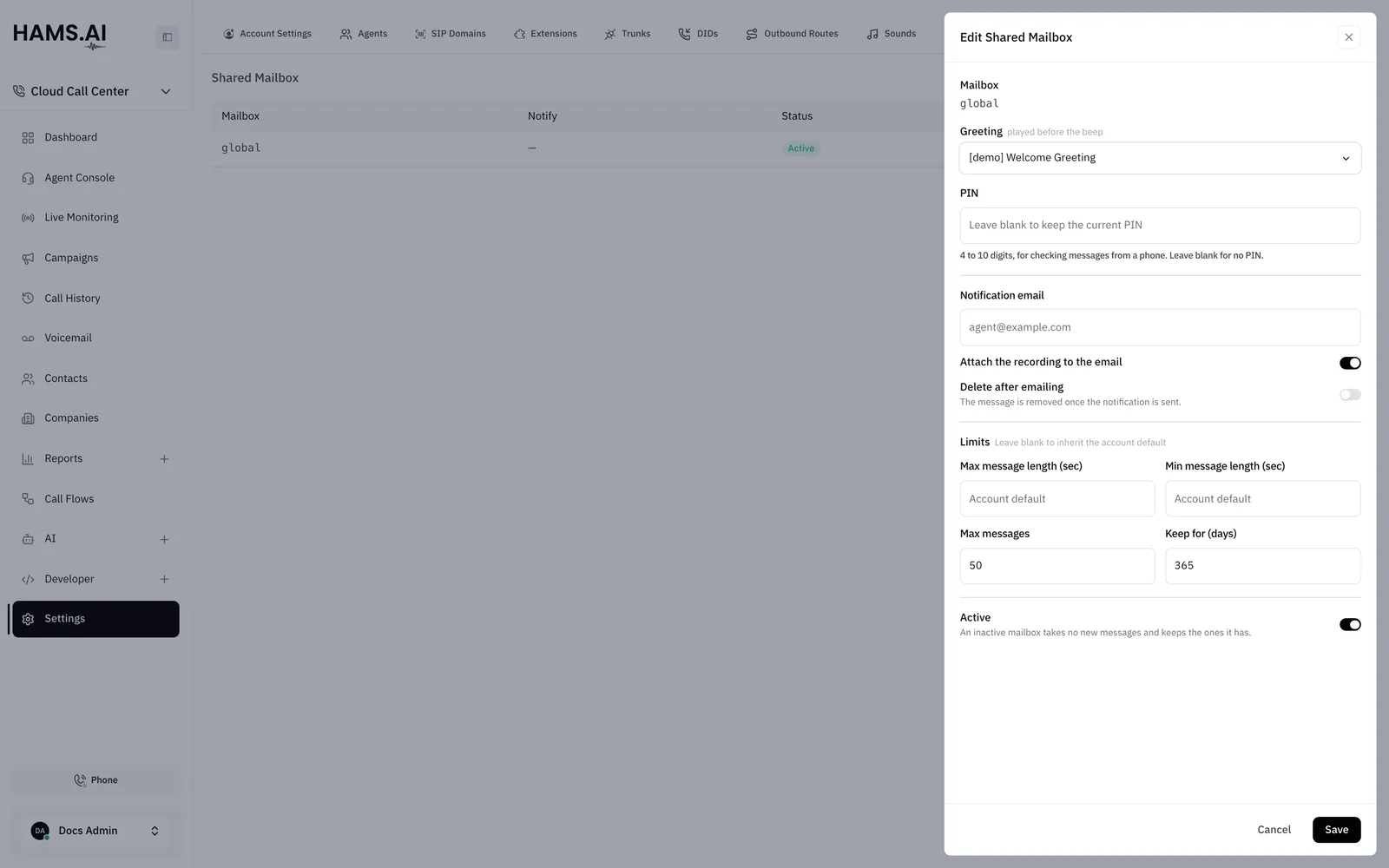
The shared mailbox and a personal mailbox have the same fields.
Leave a limit blank to use the account default. The system can apply a lower maximum than the value that you enter.
Set up the shared mailbox
The account can have only one shared mailbox. The button Create Shared Mailbox shows until it exists.
To change the mailbox, click its row. Change the fields. Click Save.
Set up a personal mailbox
Account defaults
Click Defaults on the Voicemail tab. The Account Voicemail Defaults drawer opens. The defaults apply to every mailbox that does not set its own value.
Delete a mailbox
Turn off Active on the shared mailbox. Turn off Voicemail enabled on a personal mailbox. Do this instead of a delete when you still need the messages. When you delete a mailbox, the system removes the mailbox and every stored message. You cannot undo a delete.
To delete the shared mailbox, open the actions menu of its row. Click Delete. To delete a personal mailbox, click Delete mailbox in its drawer. Confirm in the dialog.