

DIDs
A DID is an inbound phone number that the call center receives calls on. When someone dials the number, the call enters the call flow that you choose. A DID can also cover a whole block of numbers. See Number blocks.
A DID for a single number also gives the caller ID for a call campaign. See Campaigns.
Only administrators can see and change DIDs.
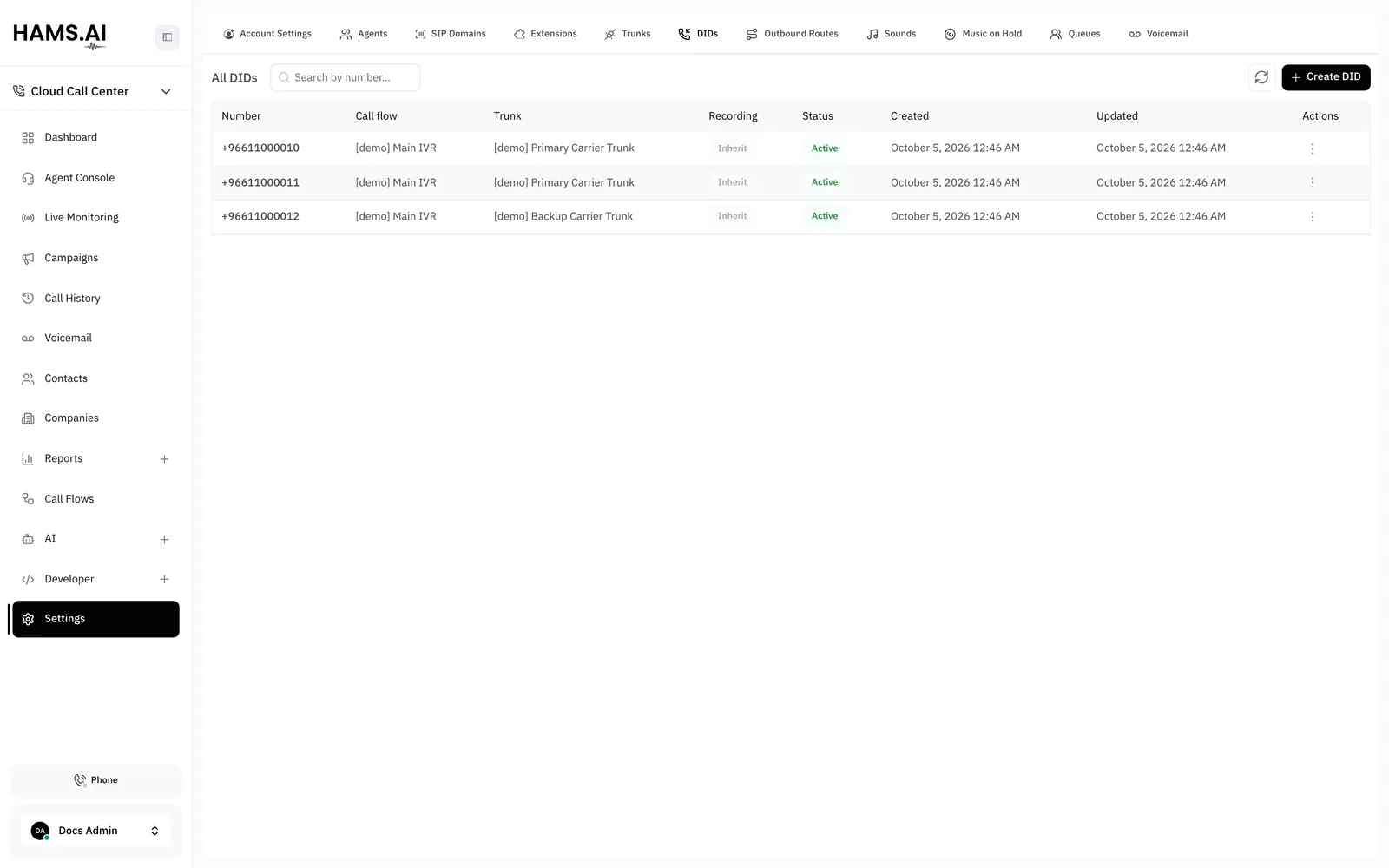
Fields
Add a DID
Before you start, add a trunk and a call flow. You cannot create a DID before both exist. See Trunks and Call flows.
To change a DID, click its row. Change the fields. Click Save. If you change the trunk, the DID moves to the SIP domain of the new trunk. Select a call flow from that domain again.
Number blocks
A number block is one DID that covers many numbers. Use it when your carrier sends a range of numbers. All of them enter the same call flow.
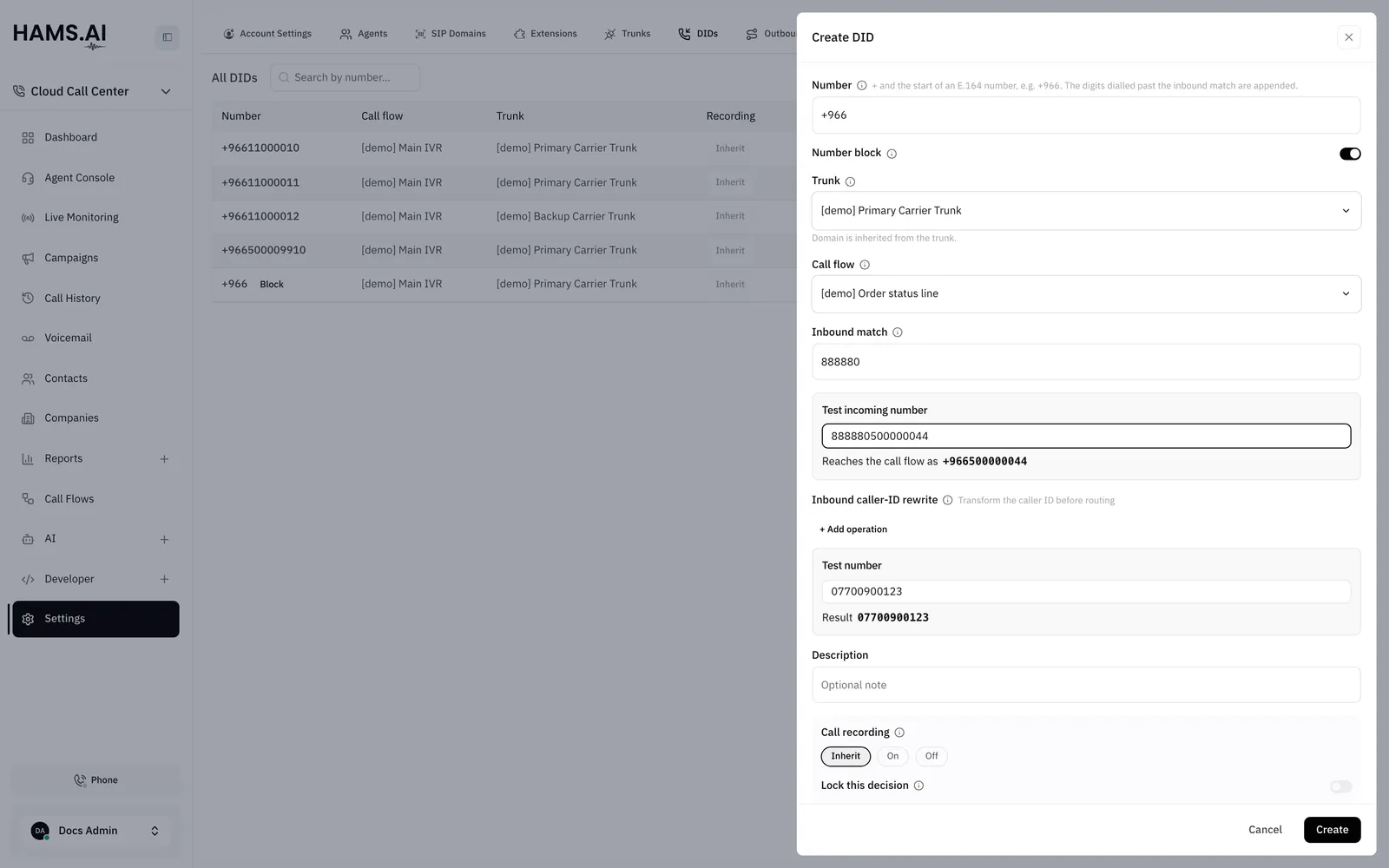
To make a number block, turn on Number block. Then set the 2 fields in this way:
- Inbound match: the first digits that your carrier sends. A call matches when the dialed number starts with these digits.
- Number: a
+and the start of an E.164 number, for example+966. The system puts this prefix in front of the digits that follow the inbound match.
For example, the Inbound match is 888880 and the Number is +966. A call to 888880500000044 reaches the call flow as +966500000044.
The form checks the values when you click Create or Save:
The prefix in Number can be as short as +. The inbound match must always have at least 6 digits.
When more than one DID matches a call, the system picks one DID in this order:
- A DID for a single number goes before a number block.
- Among number blocks, the block with the longest inbound match goes first.
Each inbound match must be unique in its SIP domain. If another DID in the domain already uses the same inbound match, the system does not save the DID.
A number block is not one phone number. For this reason:
- A number block does not show in the Caller ID list of a campaign.
- An Omni Channel voice inbox cannot use a number block as its number.
- A campaign can use a DID as its caller ID. While that campaign is not Completed or Stopped, you cannot change the DID into a number block. Stop the campaign first.
In the list, a number block shows the badge Block next to its number.
Test a number
Type a number in Test incoming number. The form shows what the DID does with it.
The test checks one DID only. It does not show which of several DIDs wins.
Rewrite operations
Each operation changes the number in order, from the first row to the last row. Click + Add operation to add a row. Use Test number to see the Result.
A prefix has 1 to 6 characters: digits, +, *, or #. This field does not offer Set number.
For example, a carrier sends the caller number 02071838750. Use Strip prefix 0 and then Add prefix +44. The call flow gets +442071838750.
Delete a DID
Stop all campaigns that use a DID before you delete the DID. You cannot delete a DID while a campaign that uses it is on the dialer. A campaign is on the dialer when its status is Scheduled, Loading, Running, or Paused. If you delete the DID, the system also deletes all campaigns with the status New that use it. You cannot undo a delete.
A finished campaign stays as history. For the campaign statuses, see Campaigns.
To delete a DID, open the actions menu of its row. Click Delete. Click Delete again in the dialog.