

Extensions
An extension is an internal number for an agent. An agent needs an extension before the softphone can register. A queue can only deliver a call to an agent who has an extension. The extension number is also the SIP user name of the agent.
Only administrators can change extensions. If you delete an extension, the system removes it from the agent lists of campaigns.
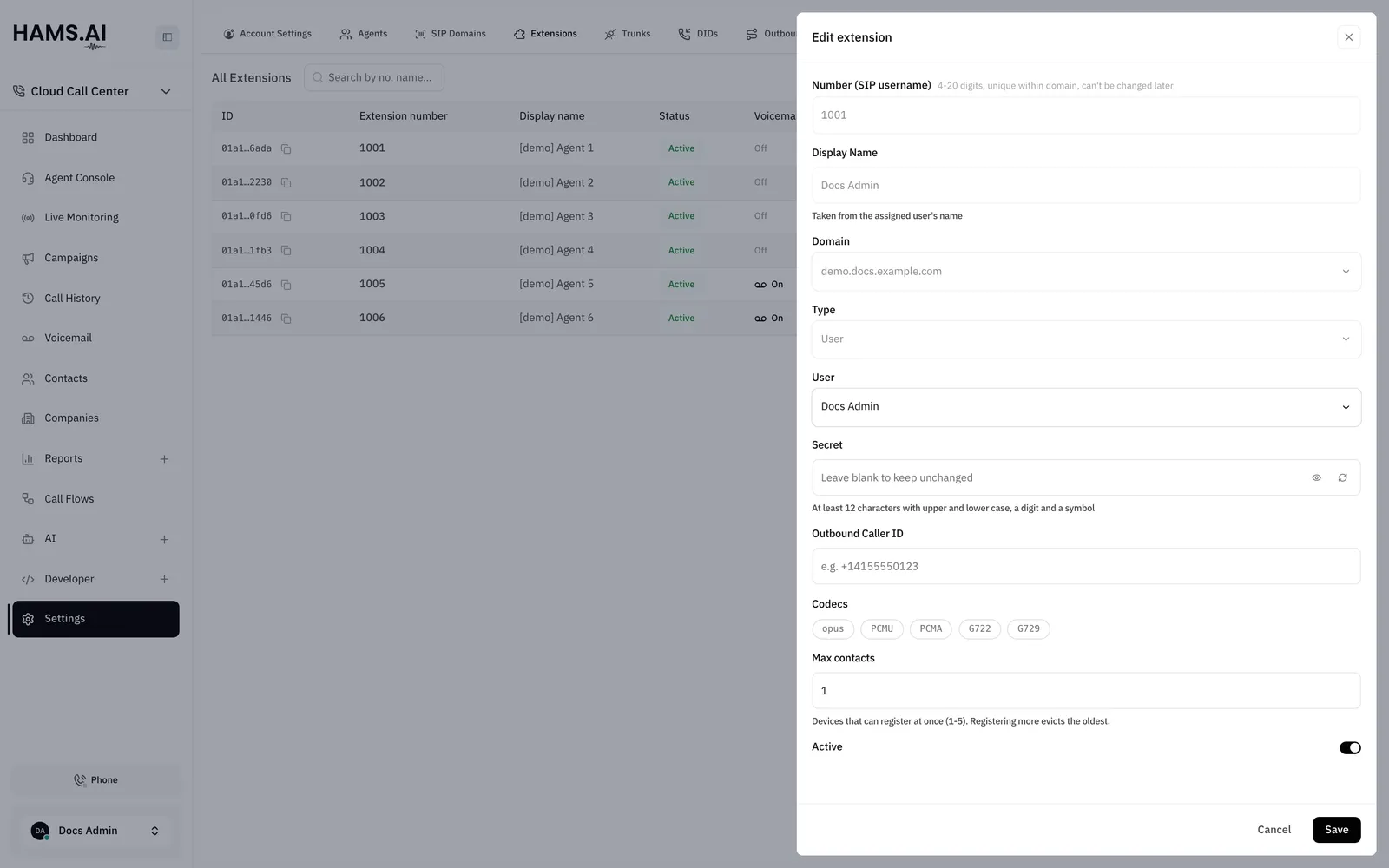
Fields
Create an extension
Before you start, make sure that a SIP domain exists and that the agent is a user of the account. See SIP domains.
By default, an account can have 10 extensions. At the limit, the Create Extension button is off. The page shows the message “You’ve reached the extension limit for this account.”
To change an extension, click its row. Change the fields. Click Save. You cannot change the Number (SIP username) or the Domain. To use a different number, delete the extension and create a new one.
SIP secret
Each extension has a secret. A device uses the secret to register. The system never shows a saved secret again. The drawer shows Generated — copy it now, it can never be read back after you generate a secret.
The secret must meet these rules:
- 12 to 64 characters. Use printable ASCII characters and no spaces.
- At least 1 lowercase letter, 1 uppercase letter, 1 digit, and 1 symbol.
- At least 5 different characters.
- No character 3 or more times in a row.
- No 4 sequential characters, such as
1234ordcba. - No common word, such as
password,welcome, orasterisk. - No extension number, and no extension number in reverse.
To set a new secret, enter it in the Secret field or click Generate a strong secret. Click Save. If you leave the field blank when you edit an extension, the system keeps the current secret.
Voicemail
A User extension can have its own voicemail box. The Voicemail column shows On or Off. To set up the box, open the actions menu of the row and click Voicemail. For the settings, see Voicemail boxes.
Delete an extension
Check the queues and campaigns that use an extension before you delete it. The system deletes its voicemail box, removes it from all queues, and removes it from the agent lists of all campaigns. You cannot undo a delete.
A campaign that has no extension left in its agent list stays in its status and rings nobody. See Campaigns.
To delete an extension, open the actions menu of its row. Click Delete. Click Delete again in the dialog.