

Quickstart
The Developer API lets your own systems place calls, read call history, download recordings, and
subscribe to call events. Its base URL is https://telephony.hams.ai/api/developer/v1. The API
accepts one credential only: an API key that you create for your account.
1. Issue an API key
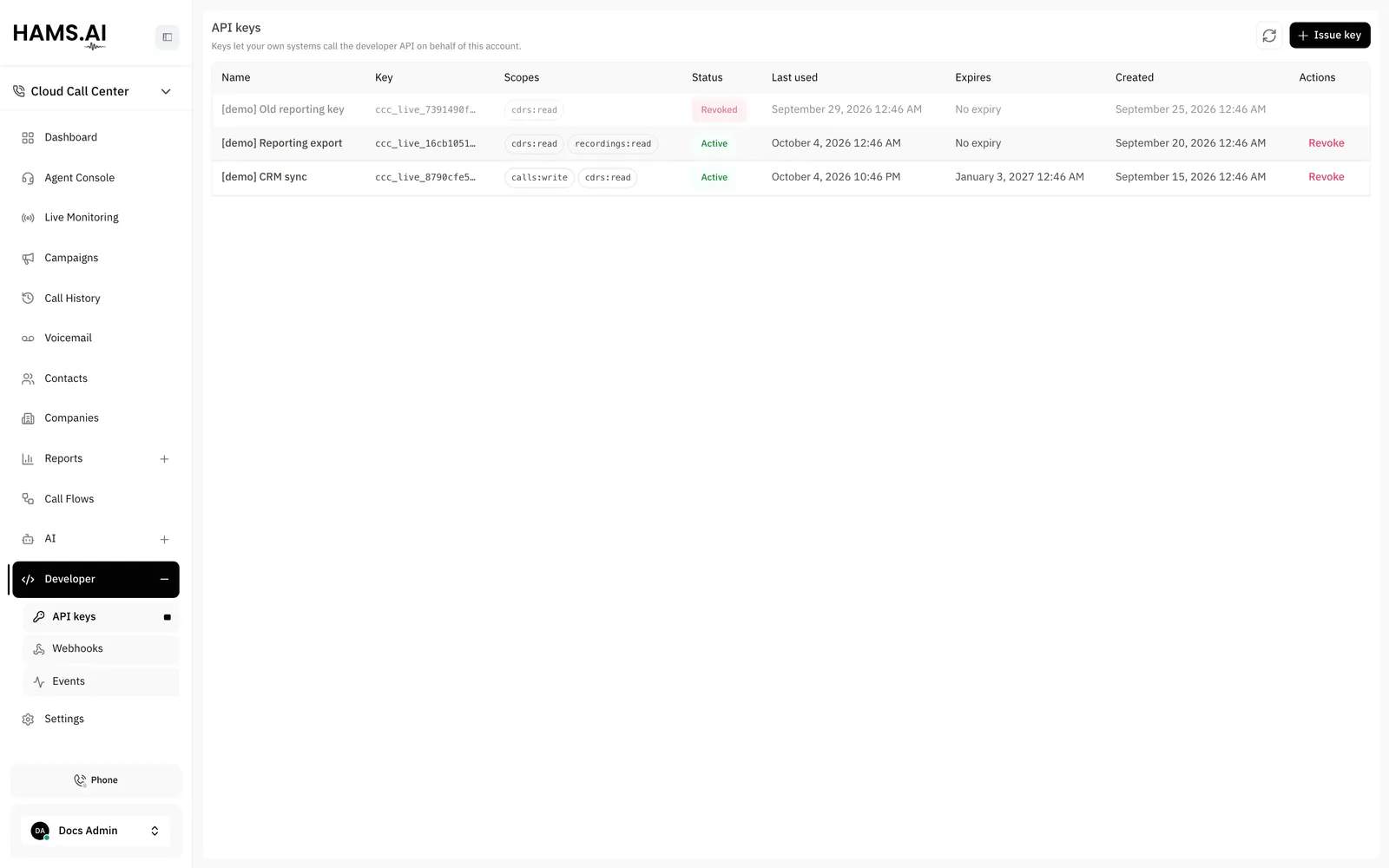
The confirmation screen shows the key one time. You cannot recover a key. You can only revoke it and issue a new one. Save the key in your shell:
Issue one key for each integration. A key reaches the whole account: every extension, every call, and every recording. If each integration has its own key, you can revoke one key and the other integrations continue to work.
To revoke a key, use the same page. The key does not work after that. The key stays in the list with the status revoked and its last-used time. This shows which integration used the key.
2. Find the extension to call from
Every call that the API places starts when one of your extensions rings.
3. Place a call
The API answers 202 with the id of the call:
The extension rings first. When the agent answers, the system dials the number through the outbound route that matches it. The route can rewrite the caller ID and sets the recording policy.
Keep the id. It is the one id of the call. You see the same id in call history, on the live
board, in every webhook about the call, and in GET /cdrs.
What happens next
The call runs like any other call. A few seconds after the call ends, the system seals its record.
If you subscribe to call.completed, the system then sends that webhook. See
Outbound calls for the report of a call that does not connect.
See Webhooks for the events you can subscribe to.
Rate limits
By default, each key can make 10 requests each second across the whole API. Calls that you place have
a separate limit. By default, an account can start 5 new calls each second. A deployment can set both limits. If you exceed a limit, the API answers
429 with a Retry-After header. The header gives the time when the window ends.