

Inboxes and channels
An inbox is 1 channel that you connect to your account, for example a WhatsApp number or an email address. The conversations of all inboxes come into the same list. Thus, an agent works in 1 list and not in 1 application for each channel.
Only administrators can add an inbox and change its settings. The X channel shows only when Hams support turns on X Channel (Mentions + Chat) for your account. The Phone channel and the Call Center tab show only when Hams support turns on Call Center and Voice Channel for your account. The Campaign pace tab shows only when Hams support turns on WhatsApp Campaign for your account.
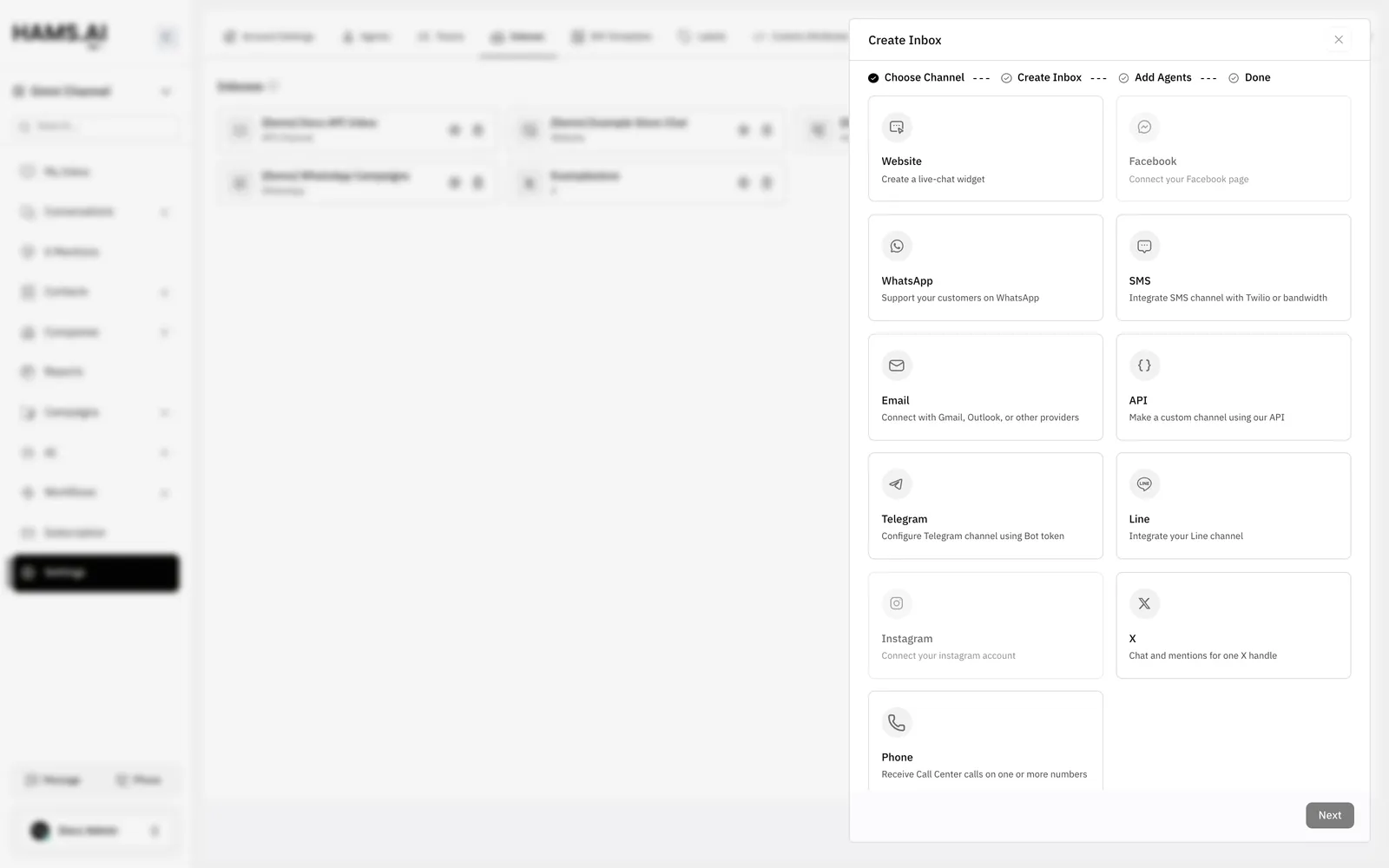
Available channels
A channel card that you cannot click is not available for your account. The Facebook and Instagram cards need a Meta app on the Hams installation.
Add an inbox
Get the details of the channel before you start. The table in What each channel needs lists them.
Open the inboxes
Open Settings > Inboxes. The page is at /app/accounts/{account_id}/settings?tab=inboxes. {account_id} is the number of your account in the dashboard URL.
Enter the channel details
At the Create Inbox step, enter the details of the channel. For some channels, you sign in to the provider instead.
For a WhatsApp Cloud, Twilio, Bandwidth, or Line inbox, the last step also shows a callback URL. Add this URL in the settings of your provider account. Without it, the inbox does not receive messages. A WhatsApp Cloud inbox tries to register the URL at Meta for you. See WhatsApp.
An X inbox does not use the Add Agents step. After you sign in to X, the Inboxes list opens. Add the agents on the Collaborators tab of the inbox. See X.
What each channel needs
Settings of an inbox
To open the settings of an inbox, open Settings > Inboxes. Then click Settings on the inbox. The tabs depend on the channel. All inboxes have the Settings, Collaborators, Business Hours, and CSAT tabs.
A WhatsApp inbox can also have these tabs:
An SMS inbox and a Phone inbox also have the Call Center tab. See Voice.
An X inbox also has the Configuration tab and the Account Health tab. See X.
Campaign pace
The Campaign pace tab sets how fast WhatsApp campaigns send on the number of the inbox. It has 2 fields:
- Messages per second: a whole number from 1 to 1000. The default is 20.
- Daily cap: the maximum number of campaign messages in 24 hours. The default is no cap.
Click Derive from number health to get a suggested pace from the health of the number at Meta. Then click Save. All campaigns on the number share the pace and the daily cap. The pace does not apply to an inbox with the provider Twilio. For the full procedure, see Set the pace.
Voice
Cloud Call Center calls become conversations in the inbox that their DID links to. A Phone inbox gets the calls of 1 or more DIDs. A WhatsApp or SMS inbox can get the calls of its own number, so calls and messages share 1 conversation. A call on a DID that links to no inbox stays in Cloud Call Center only. Calls through Twilio Voice on a Twilio SMS inbox (the Voice tab) and WhatsApp calls (the Calls tab) also become conversations in their inbox. See Voice.
X
An X inbox can get the direct messages and the public mentions of 1 X account. You turn on each feature for the inbox. Direct messages become conversations in the inbox. Mentions become threads in the X Mentions view, not conversations. See X and X Mentions.