

Conversation cycles
A conversation cycle is one pass of a conversation from open to resolved. A conversation can have many cycles. Each time a resolved conversation opens again, a new cycle starts.
The system records the cycles of every conversation. Each cycle keeps its own times, first replies, and message counts. It also keeps the name of the person or the AI agent that resolved it. The conversation log lists and counts the cycles. Post-chat analysis reads each closed cycle.
All accounts record conversation cycles. An administrator sees the cycles of all conversations. An agent sees only the cycles of conversations in their inboxes and their teams.
How a cycle starts and ends
- A new conversation starts its first cycle.
- When a resolved conversation opens again, a new cycle starts. If a contact message opened the conversation again, the cycle starts at that message.
- Only a resolve closes a cycle. A pending or snoozed conversation keeps its cycle open.
- If you resolve a conversation that is already resolved, no new cycle starts.
- If a cycle stays open after someone resolves its conversation, the system closes it later. The close time is the time of the resolve.
A cycle is Open or Closed. A closed cycle shows the name of who resolved it. The conversation log also shows the Resolution source of each closed cycle:
First replies of a cycle
The system measures the first replies for each cycle. A conversation that opens again gets a new first reply in each new cycle. A cycle keeps these times:
- AI first response: the time from the start of the cycle to the first reply of the AI agent.
- Human first response: the time from the start of the cycle to the first reply of a person. This time includes any time that the AI agent handled the cycle first.
- Human response after handoff: the time from the moment the cycle became the turn of a person to their first reply. The moment is the handoff of the AI agent, or the start of the cycle if there was no handoff.
A message from a campaign or an automation rule is not a reply. A private note is not a reply. If nobody of a kind replied in the cycle, the cycle has no time of that kind. The conversation log shows these times.
Cycles in the conversation sidebar
The Conversation Cycles section of the conversation sidebar shows the 5 newest cycles of the conversation. Each cycle has 2 lines:
- Line 1: the open time and the close time. An open cycle shows Open and its open time.
- Line 2: the name of the person or the AI agent that resolved the cycle, and the duration. An open cycle shows Still open.
Durations use the format hh:mm:ss. If post-chat analysis is on for your account, a closed cycle also shows its analysis outcome.
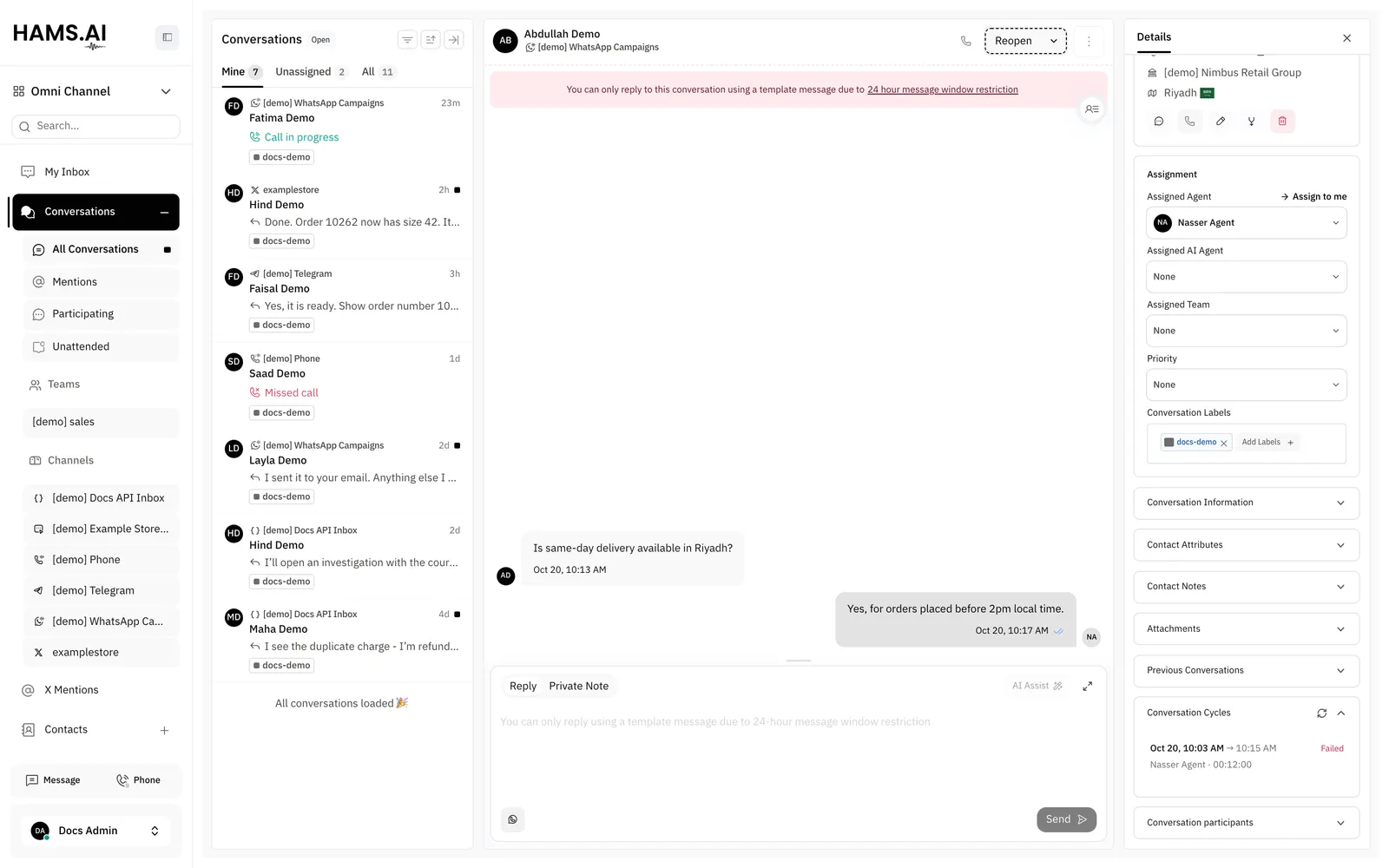
To see a cycle:
To load new cycles, click the refresh icon (Refresh) in the section header. If you never opened or closed the section, it expands automatically when the newest closed cycle has an analysis result.
The drawer shows the same details as the conversation log. See Cycle details.