

FAQ and responses
The AI agent does not read a full document to answer a question. It searches a list of question and answer pairs, the FAQs. The search uses the meaning of the words, not the exact words. For example, a customer who asks “can I get my money back” finds an answer about refunds.
The AI agent is off by default. Hams support turns on the Workflows + Agent feature for your account. Only administrators can see AI in the sidebar and change the FAQs of an AI agent.
How the AI agent uses FAQs
When the AI agent needs a fact, it searches its FAQs. The search returns the 5 FAQs that are nearest in meaning to the question. The AI agent uses only FAQs with the status Saved.
The search compares the meaning of the first 8,000 characters of each FAQ, the question and the answer together. Put the most important facts of a long answer first.
The AI agent can search only after it has 1 or more saved FAQs. Before that, it has no knowledge search. See Tools.
Where FAQs come from
The system writes the FAQs in the language of your account.
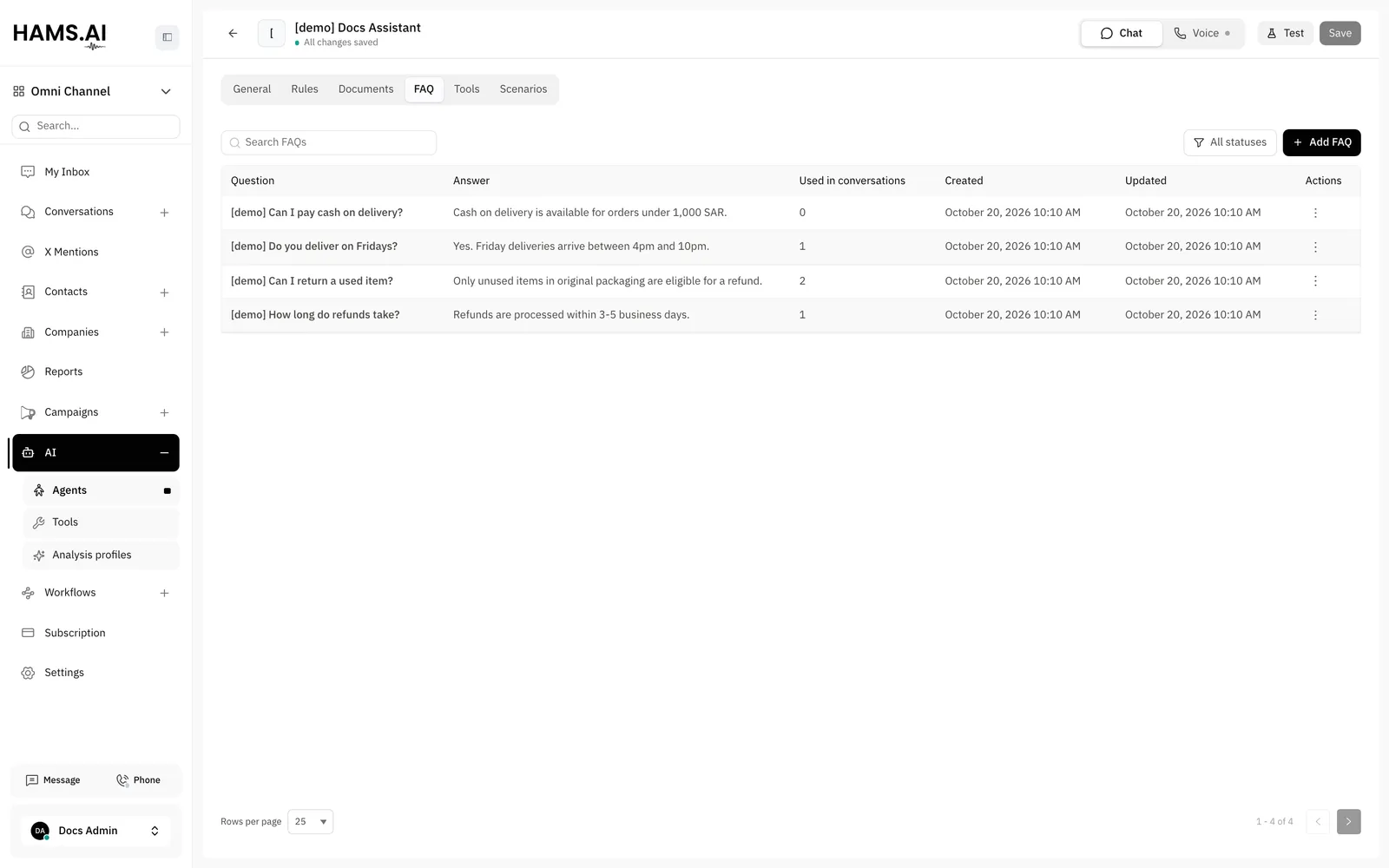
The FAQ tab
Open an AI agent. Click the FAQ tab. You must save a new AI agent before you can use this tab. The changes on this tab save immediately. You do not click Save in the editor.
The tab shows 1 list with all the FAQs of the AI agent. The FAQs have 2 statuses:
- Saved: the FAQs that the AI agent uses.
- Unsaved: the FAQs that wait for your review. The AI agent does not use them.
To show only one status, click the filter. Then select Saved or Unsaved. Select All statuses to show all FAQs. To find an FAQ, type a word of the question or the answer in Search FAQs.
At the bottom of the list, select how many FAQs show on each page: 10, 25, or 50.
Add an FAQ
- Click Add FAQ. The Add FAQ dialog opens.
- Enter the Question and the Answer.
- Click Add FAQ.
The FAQ gets the status Saved. The AI agent can use it immediately.
Approve, edit, or delete an FAQ
To edit an FAQ, click its row. Each row also has an actions menu:
Edits and document refresh
When a document changes, the system writes new FAQs for it. It replaces the FAQs of the document that you did not edit. It keeps the FAQs that you edited. See Knowledge and documents.
If you delete the document, the system deletes all its FAQs. This includes the FAQs that you edited.
FAQs from resolved conversations
The AI agent can learn new FAQs from the conversations that it handled. To turn this on, open the General tab. Under Learning, turn on Generate FAQs from resolved conversations. See Assistants.
When the status of a conversation of the AI agent changes to resolved, the system reads it. It writes FAQs from the questions and answers in it. The system learns only from conversations in which a human agent replied.
The system compares each new FAQ with the FAQs that the AI agent already has. If the meaning is almost the same as an FAQ that the AI agent has, the system does not add it.
The new FAQs get the status Unsaved. They do not change the answers of the AI agent until you approve them. Filter the list by Unsaved regularly. Approve the FAQs that are correct. Delete the others.