

Knowledge bases
A knowledge base is a set of documents an agent can search while it is talking. Put your opening hours, your policies or your FAQs in one, and the agent answers from them rather than from whatever you managed to fit in its prompt.
This is the right home for anything long, anything that changes, and anything you would otherwise be tempted to paste into the prompt. Updating a document updates every agent that searches it.
The Knowledge Bases page calls each one a folder, and the create dialog says Create Folder. A folder and a knowledge base are the same thing: a named group of documents the agent can search.
Creating one
Open Knowledge Bases in the sidebar. Each card is one knowledge base, showing how many files it holds, its size, and when it last changed.
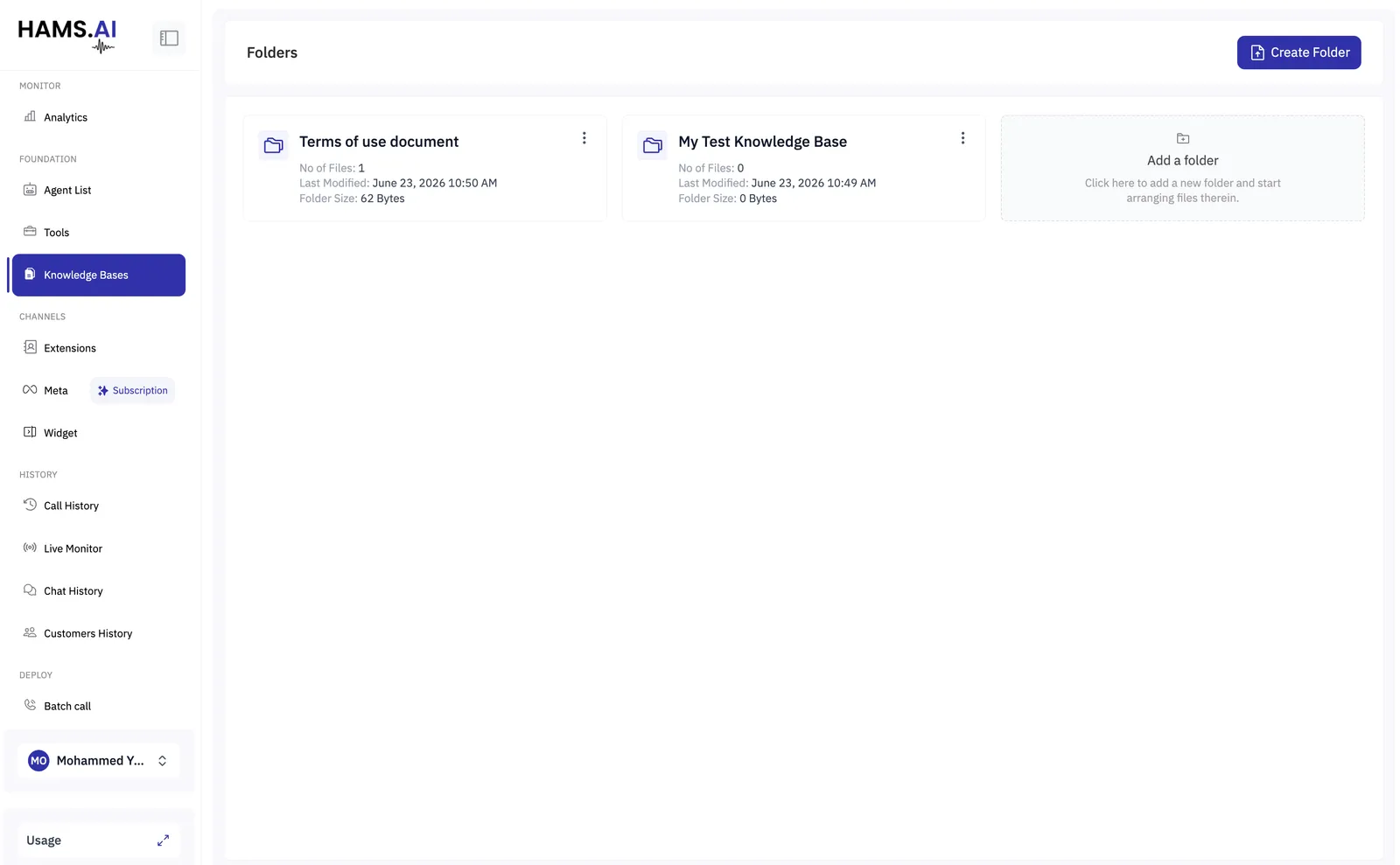
Create Folder asks for two things.
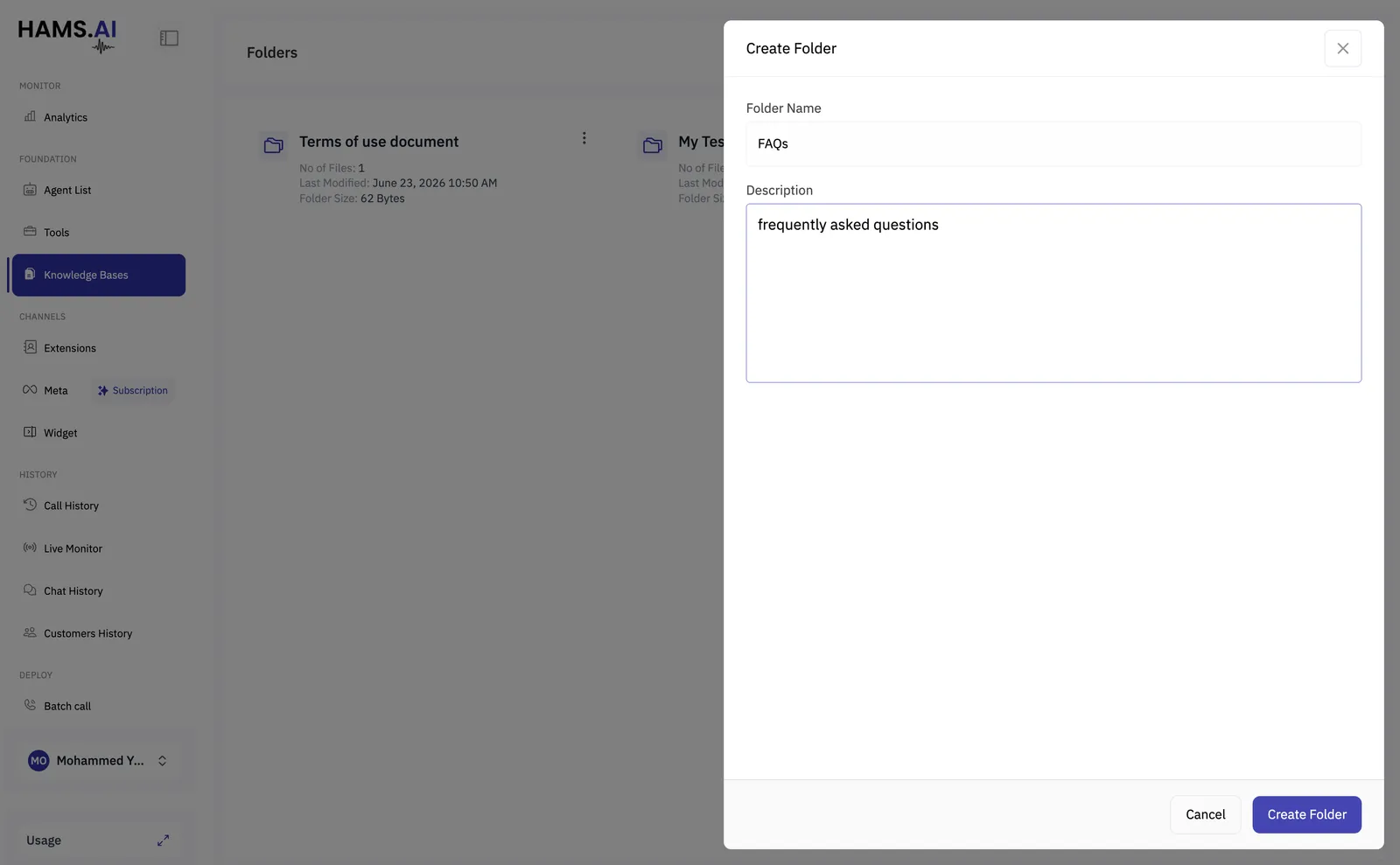
Write the description even though it is optional. It is shown beside the base when you attach it to a tool, and it is how anyone building an agent later knows what is in there. “FAQs” tells you nothing six months on; “frequently asked questions about billing and refunds” does.
Adding documents
Open a knowledge base to see its Files. Add one with the + button, or through Edit Folder, which carries an upload area alongside the name and description.
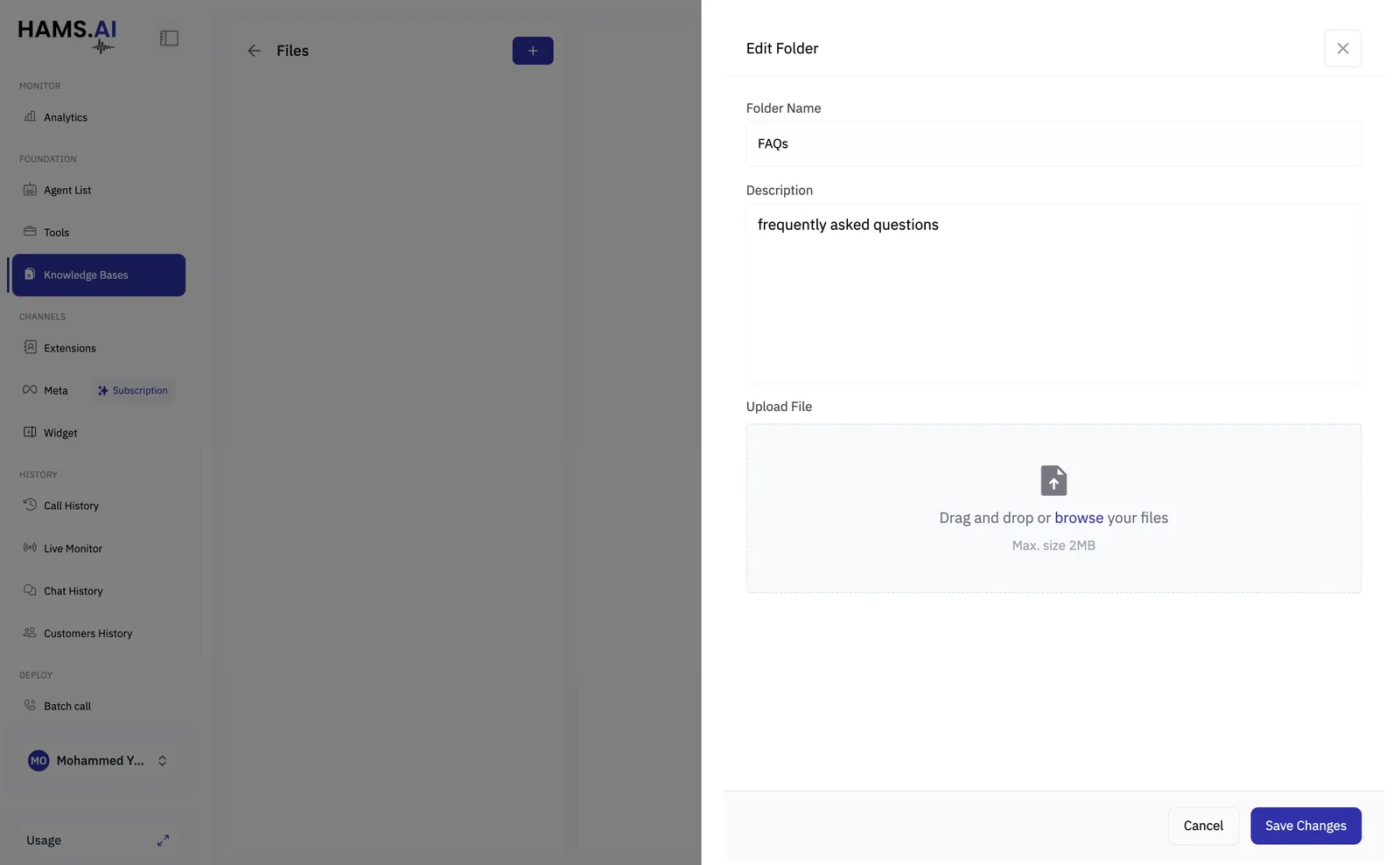
Each file may be up to 2 MB.
PDFs and Word documents are not supported. Convert them to Markdown or plain text first, which is worth doing anyway, since a PDF’s layout carries meaning that is lost when it is flattened into text.
The 2 MB ceiling is per file, not per knowledge base, so a long manual is better split into several documents by subject. That retrieves better too.
Each uploaded file goes through a few states before an agent can use it:
Only Indexed documents are searched. A document that is still processing is simply not found yet, so upload before you test rather than during.
Checking a file
Selecting a file shows what was stored: its name, size, when it arrived, and a preview of the content. Tabular files are rendered as a table, so you can see whether the columns came through the way you expected before an agent ever searches it.
Writing documents an agent can use
Documents are split into chunks and the agent retrieves the chunks that match the question, not the whole file. That has a few consequences worth designing around:
- Use headings and short sections. A chunk that begins mid-sentence is less useful than one that begins at a heading.
- Keep each answer self-contained. “As mentioned above, this does not apply on weekends” is useless in a chunk retrieved on its own.
- Split by subject, not by source. One base per subject retrieves better than one base holding everything you have.
Giving it to an agent
An agent cannot search a knowledge base directly. You make one available by building a Knowledge Base Search tool that points at it, and adding that tool to the agent.
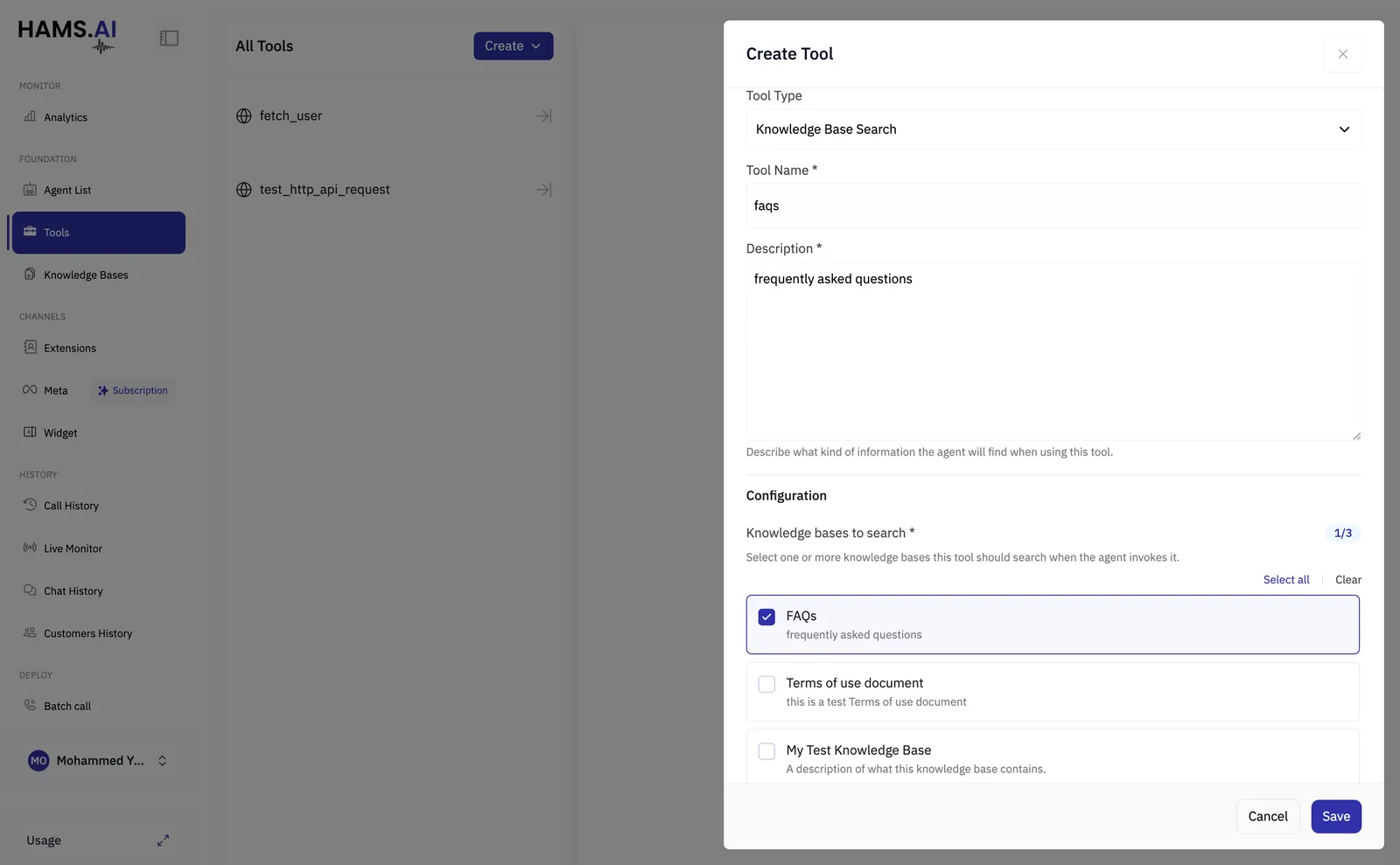
The description is the important field. The agent reads it to decide whether to search at all, so describe the questions it answers rather than the documents it contains: “answers about billing, refunds and payment methods” beats “the FAQ folder”.
Prefer several narrow tools over one that searches everything. An agent with billing_faqs and
clinical_policies chooses correctly from the names alone; an agent with one search_documents
tool has to search everything and hope the right thing comes back.
Then add the tool to the agent:
- Single Prompt — the Tools panel.
- Conversation Flow — Global Tools, so it can be searched from any conversation node.
- Multi-Prompt — on whichever member needs it.
When an agent searches
The agent decides to search, writes its own question from the conversation, and gets back the passages that best match. It then answers from those passages.
Two things follow from that:
The agent can only answer what is written down. If a question is not covered in the documents, searching finds the nearest thing rather than nothing, so tell the agent in its prompt what to do when it is unsure — offer to transfer, or say it will check.
What it retrieves is a few passages, not the whole document. A question whose answer is spread across five pages will not be answered well. Where a single answer matters, write it in one place.
Trying it before an agent does
Each file has a Chat with knowledge base panel: ask a question in your own words and see what comes back, without building an agent or placing a call.
Use it whenever you add documents. Ask the questions your callers actually ask, in the words they use rather than the words your documents use. If the answer does not come back, the problem is the document, and it is far quicker to find here than in a live conversation.
Keeping it useful
Turn on the Out of domain post-call analysis. It reports what callers asked that the agent could not handle, which is the most direct list of what to add to your knowledge bases next.